
Create clickable YouTube timestamps easily with TagBuilder.io’s free YouTube Timestamp Link Generator. Boost engagement, SEO, and viewer experience instantly.
Try This Tools Also


🕒 Free YouTube Timestamp Link Generator – Create Clickable Video Timestamps Easily | TagBuilder.io
Make Your YouTube Videos More Engaging and User-Friendly with Clickable Timestamps
If you want to improve viewer experience and increase engagement on your YouTube videos, adding timestamps is one of the smartest ways to do it. With TagBuilder.io’s Free YouTube Timestamp Link Generator, you can quickly create clickable timestamps that take viewers directly to specific moments in your video — without any manual hassle!
🎯 What Is a YouTube Timestamp Link Generator?
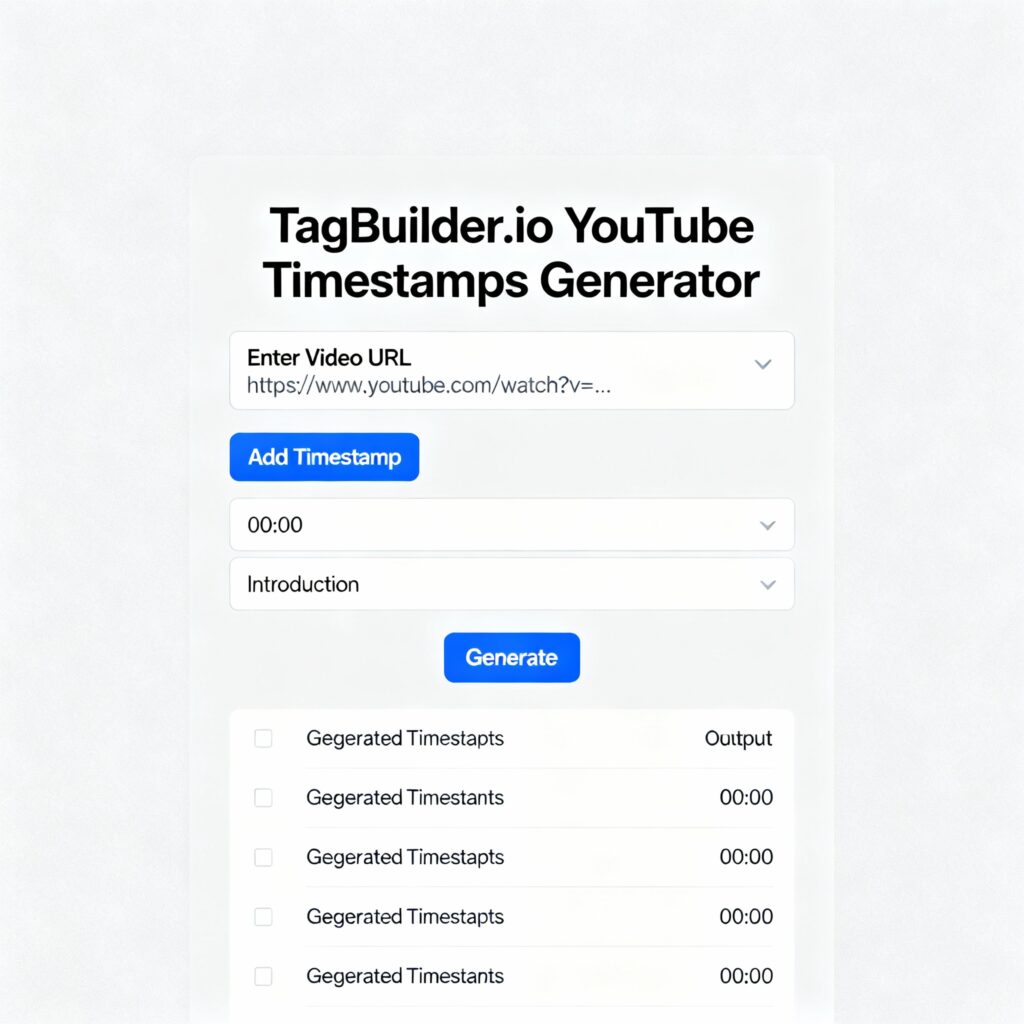
A YouTube Timestamp Link Generator is a free online tool that helps you create direct links to specific points in your YouTube video.
Instead of making your audience scroll or search through the video, they can jump straight to the exact moment you want them to watch — with just one click.
For example:
👉 https://www.youtube.com/watch?v=abcd1234&t=120s
This link will take viewers exactly to the 2-minute mark (120 seconds) in your video.
Manually creating these links can be confusing, especially when dealing with multiple timestamps. That’s where TagBuilder.io’s Timestamp Generator makes the process lightning fast and effortless.
⚡ Key Features of TagBuilder.io’s YouTube Timestamp Generator
- ✅ Instant Timestamp Generation: Just enter your YouTube video URL and the time you want, and get your clickable link immediately.
- ✅ Multiple Timestamp Support: Generate multiple timestamps for long videos (tutorials, podcasts, or educational content).
- ✅ No Signup or API Needed: 100% free and browser-based.
- ✅ Shareable Links: Perfect for social media, YouTube descriptions, blogs, or comments.
- ✅ User-Friendly Interface: Simple, clean, and fast — made for YouTubers of all levels.
🎥 Why Use YouTube Timestamps?
Timestamps are not just for navigation — they help improve:
- User Experience: Viewers can jump to what matters most.
- SEO & Ranking: YouTube automatically indexes timestamped sections, boosting your visibility in search results.
- Engagement & Retention: Keep viewers watching longer by making content easier to browse.
- Content Clarity: Ideal for tutorials, product reviews, and podcasts where structure matters.
🧭 How to Use TagBuilder.io’s Timestamp Link Generator
Follow these quick steps to generate clickable timestamps:
- Open the Tool: Go to TagBuilder.io → YouTube Timestamp Generator.
- Paste Your YouTube Video Link.
- Enter Time (HH:MM:SS or in Seconds) where you want the timestamp to start.
- Click “Generate Timestamp.”
- Copy Your Link and paste it in your video description, comment, or anywhere you want.
Example Output:
👉 https://www.youtube.com/watch?v=abcd1234&t=01m45s
When clicked, the video will start exactly at 1 minute 45 seconds.
🧩 Best Use Cases for YouTube Timestamps
- 🎓 Tutorials: Direct viewers to specific steps.
- 🎤 Podcasts: Highlight different discussion topics.
- 💄 Reviews: Jump straight to the product demonstration.
- 🧠 Educational Videos: Navigate lessons or chapters easily.
- 🎬 Music Videos: Link directly to specific scenes or performances.
💡 Pro Tip
Combine timestamps with YouTube Chapters to give your audience a structured video navigation bar. It not only enhances UX but also helps YouTube’s algorithm understand your content better — improving your SEO ranking.
🏆 Why Choose TagBuilder.io?
TagBuilder.io is your all-in-one platform for YouTube creators, offering:
- YouTube Hashtag Generator
- YouTube Title & Description Generator
- YouTube Money Calculator
- YouTube Views Ratio Calculator
- And now, the powerful YouTube Timestamp Link Generator
All tools are free, fast, and SEO-optimized to help your channel grow smarter and faster.
❓ Frequently Asked Questions (FAQs)
1. What is a YouTube timestamp link?
A YouTube timestamp link directs viewers to a specific moment in your video instead of starting from the beginning.
2. Can I use multiple timestamps in one video?
Yes! You can create multiple timestamps to organize your video into chapters for better navigation.
3. Does using timestamps affect my video SEO?
Absolutely — in a good way! Timestamped sections appear in Google search results and can increase your click-through rate.
4. How do I add timestamps to my YouTube description?
Simply copy the timestamp links generated by TagBuilder.io and paste them line by line in your video description.
5. Is the TagBuilder.io Timestamp Generator free?
Yes, it’s 100% free and requires no sign-up or API key.
🧠 Final Thoughts
Using YouTube timestamps is a small but powerful way to improve your content strategy. With TagBuilder.io’s YouTube Timestamp Link Generator, you can create professional, SEO-friendly timestamps in seconds — making your videos more organized, discoverable, and engaging.
🚀 Try it now: Free YouTube Timestamp Link Generator – TagBuilder.io